
I adore Pinterest. And my 17-year-old sister tells me that blogging makes me a nerd! So I thought I would establish my nerd status for good by blogging about how to organize Pinterest boards!
Some links on this site are affiliate links and I may earn a small commission at no cost to you. Thank you! Learn more.
How to Organize Pinterest Boards
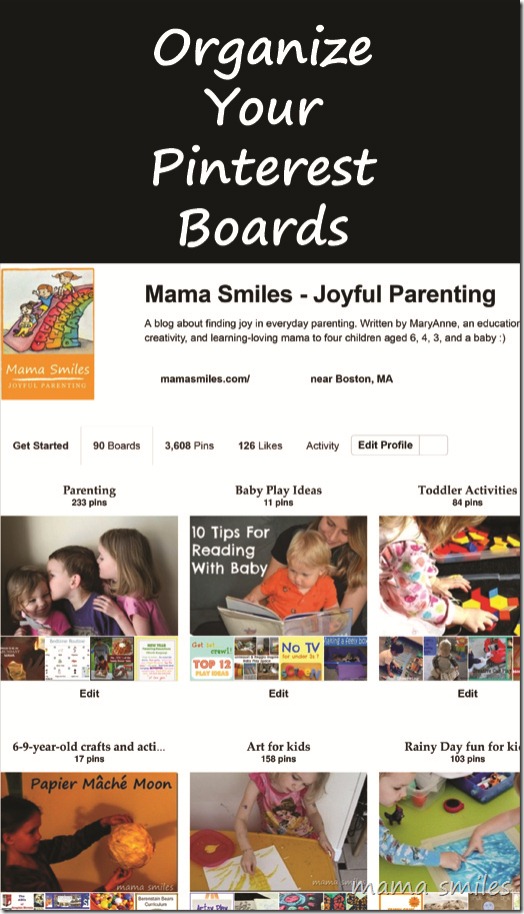
I pin ALL the time (I use Tailwind to spread out pins so my followers don’t get overwhelmed), and I have WAY too many Pinterest boards. In my defense, fewer than half of them are actually mine. The rest are collaborative boards, because I like to collaborate. But 47 boards of my own plus 53 that belong to other people (yes, I added ten after taking that screenshot) makes a LOT of boards! It got to the point where I had no clue what boards I had, or how to find them. So I organized them, because that is way more fun than folding laundry. Here’s what I did:

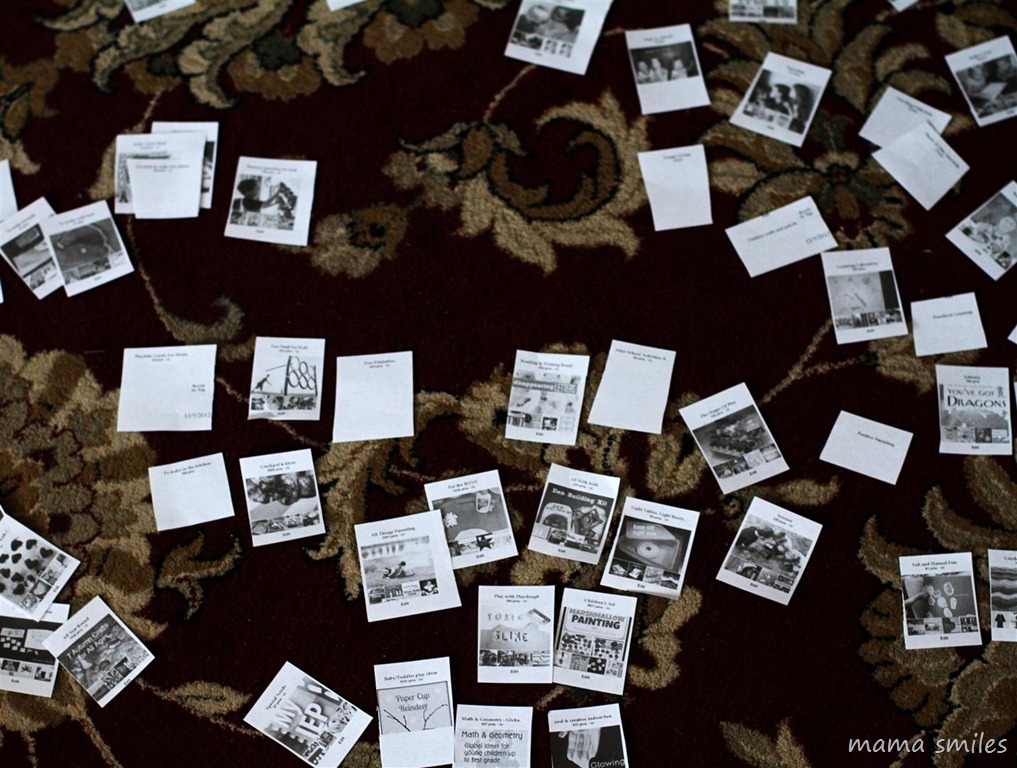
Step 1: Print out all your boards and cut them up. Organize them on the floor (or table). You can’t tell, but these are organized. I cut a few, too.
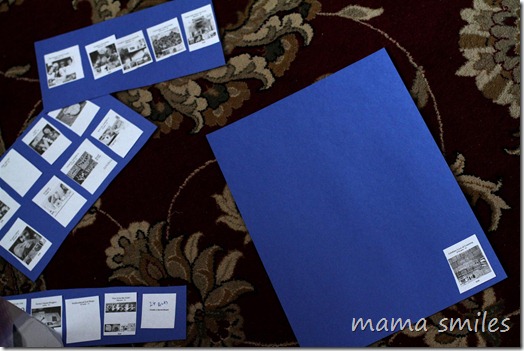
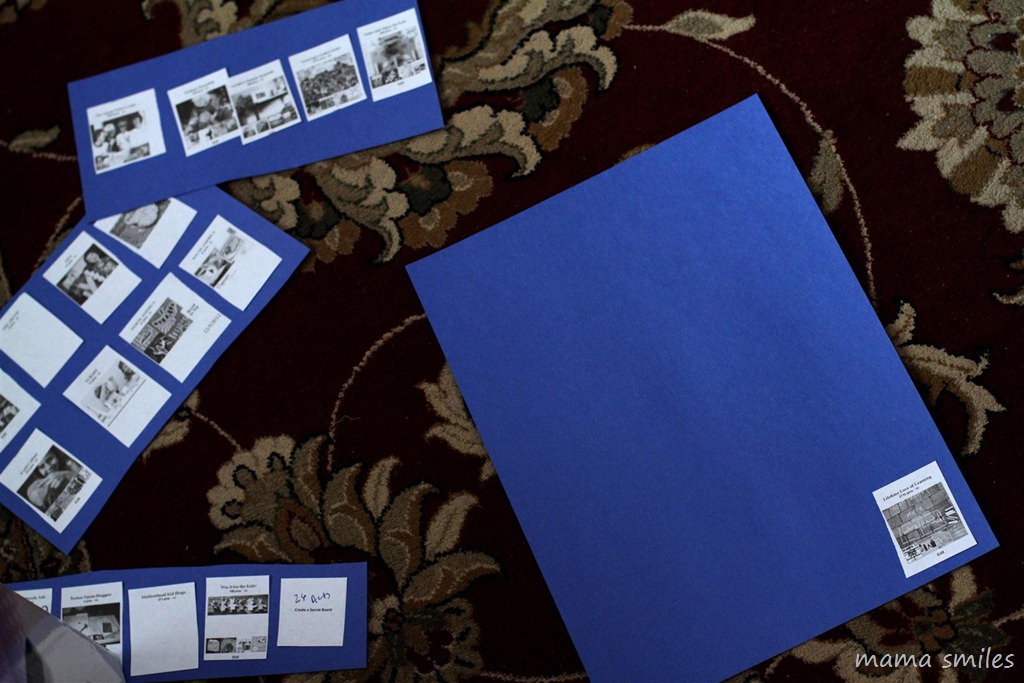
Step 2: Storyboard your boards by theme. I glued them onto construction paper with a glue stick, because that made it easier for me to visualize everything. I used blue paper for collaborative boards, and purple for my own.


Step 3: Organize your storyboards. I put all of my boards at the top, and tried to make them flow fairly seamlessly. The collaborative boards follow the same underlying organization as my individual boards.
Step 4: Get on the computer and move your actual boards. Be sure to save your changes frequently! And thank you, Jennifer, for that tip! Pinterest, if you are reading this, I would love to get around this entire rigmarole by being able to move board titles around (without having to deal with the images)
Thank you, Pragmatic Mom, for your input on my Pinterest organizing project!
How do you organize your Pinterest boards? And what is nerdier: writing a blog, or reading a blog? Writing and reading blogs?

MaryAnne is a craft loving educator, musician, photographer, and writer who lives in Silicon Valley with her husband Mike and their four children.
I just wanted to share that I find it so much easier to manually move my boards if I use the Control button and the mouse wheel together to make the screen images of the boards much smaller. I can then see more boards on a row and it is not so confusing when I try to move the boards (by resting the mouse on the board until you see a hand and then holding down the left mouse button – move and drop).
Thanks for sharing this tip!
Hi :) I’m also an organizing nerd. Not sure if someone else has suggested it yet, but I have to introduce you to one of my best friends, Trello.com. It looks almost like what you are doing there, except online. And it’s soo smooth and easy. I very much recommend checking it out. Especially since I just did this same thing on there ;)
I know you wrote this quite a while back, but I’m hoping maybe one of your readers, or you, might be of some help to me. I have gotten my boards all organized (alphabetically, but if you look at them – http://www.pinterest.com/cbrandal/ you’ll see i organize them by using ‘subcategories’ too) but on my iPhone app, it only partially keeps that organization when I log in. I’ve even tried deleting and reinstalling the app thinking maybe it needed to reset to my account. Anyone else dealt with this? I pin as much from my iPhone as I do from my computer and it takes twice as long to find the right board on my phone since they aren’t sorted properly! And since they haven’t worked out sorting boards from your phone yet, I’m stuck!
How strange! And frustrating.
I looked at your boards, and for me the final six don’t show up as alphabetized. Is that how they look to you? Love how well thought-out they are overall!
I did fix a couple new boards that weren’t in order (sometimes even though I sort them and they appear to be correct, it doesn’t “stick” and the next time I go in I have to fix them again!)…
Update: I’ve noticed that it isn’t when I view my boards from the iPhone app that they are in the incorrect order, in that instance they are correct and match the website. It is only when i am looking at the list when I’m trying to pin/repin something. I see my last 3 boards that I pinned to at the top, and then in the main list there’s a chunk of my boards alphabetized and then another chunk alphabetized, but not the whole list like i have it… it’s really weird!
That is really strange, because the repin list is always alphabetized for me – even though my boards are not! Have you tried contacting Pinterest about it?
I figured it out! While doing some pinning from my phone last night something suddenly occurred to me – I went back to the list that was not ordered correctly and sure enough, plain as day, there it was!! That list sorts alphabetically, but it is CASE SENSITIVE!! As a matter of style preference, I leave my board names with all lower case most of the time – but over time several of them ended up with upper case (mostly because my iPhone automatically wants to capitalize the first letter and sometime I’m too lazy to tell it not to).
Last night I went back and edited all my boards to make them lower case. Now they alphabetize correctly!
I’m glad you figured it out! I never would have guessed that was the problem. Thanks for sharing the solution here!
There’s a new option as of today for organizing Pinterest boards quickly and easily. My business, Pin4Ever, has just released Bulk Editing Tools that let you edit an entire board in one step — move some pins, copy some, delete some, even rearrange pins so the ones you want are on top! Pin4Ever has been offering Pinterest account backups since September 2012, and we’ve saved over 5.2 million pins for our customers. Please visit http://www.pin4ever.com to try a free backup, or sign up for our 6-month or 1-year Unlimited Plans if you want access to the new Editing tools! Thanks!
This is a similar process to editing a film, in many ways — and I had never looked at it like that before. But, I am good at editing films, so I should be better at organizing my pinboards. I agree that pinterest needs to improve their offerings in this department too! Just curious – is there a reason that you put collaborative boards at the bottom and that you keep them separate. To be honest, there is a part of me (the REALLY nerdy part) that feels like the whole thing should be alphabetical, but I realize that does not actually make the most sense. Maybe we need a Pinterest Dewey decimal system. :)
Film storyboarding was actually my inspiration for this approach!
I worked in a library for five years, so I adore the idea of a Pinterest Dewey decimal system :)
The main reason I keep the collaborative boards at the bottom is because I don’t have much control over their content, but I also use them differently. The boards that are just mine are my way of storing ideas and inspiration; collaborative boards are more for sharing ideas and inspiration.
Wowzers! I bet that feels good to have them all so organized and I bet it was fun looking through them! I want mine to be organized by how they may inspire me…
That’s a great way to organize them!
Looks like a great way to organize Pinterest boards! I don’t think writing OR reading blogs is nerdy. :)
I don’t mind being nerdy when it’s this much fun :)
Wow! That looks like a lot of work. I think I’ll organize mine now while I don’t have too many boards and can avoid the printing and the story boarding – that is an awful lot of boards you have.
That’s a good idea. I wish I had started organizing mine sooner!
I love the idea of actually storyboarding them! Your Pinterest board look great MaryAnne! Thanks for the shout out!
Thanks for all your help! I really appreciate it!!!
This is a great idea! We organize ours by content and most relative with collaborating boards on the bottom. One little tip I have to share that I found recently is that you can reduce your text screen size to view more boards at one time for those big picture thinkers.
Thanks for the text size tip! I didn’t know that!
Can I ask a stupid question? What would be the reason for organizing them? for you or for visitors?
Both :)
OK. I cannot believe you did this. You might be even nerdier than me. Totally awesome.
I felt gloriously nerdy organizing them :)
You have achieved an uber-cool level of geekiness!!! :)
Impressive, isn’t it :)
Very timely post. Organizing my boards has been on my to-do list for ages…this is a great system! I have been hesitant to encourage readers to follow me on Pinterest because of my state of chaos! Thanks for the great idea.
Yes, it’s much easier to say “find me on Pinterest” when there is a way to find things on boards!
wow… i would’ve never thought of doing it this way. i just have most of mine done alphabetically. then my non-blog “momma” ones at the bottom.
I think alphabetically works really well if you have a clear focus. My boards were too eclectic for that to work :)
Hmmm….I feel like I’m not a really good pinner yet. I’m wondering if I should just set a time each day to pin. I don’t really do that much for some reason. Though I do love the idea of it, I just haven’t been able to put it to its full use for me yet.
I go through phases, but I especially love Pinterest as a way to store inspirational ideas from all my favorite blogs! I even use it to organize my own ideas so I don’t forget them!
You are so smart! I kept changing mine around and then taking screenshots. This is so much easier!
I tried that first, and it was a nightmare. I’m impressed you got it to work!
This is such a great idea! I need to work on my boards.
Mine are so much more helpful now that they are organized!
I have my by themes that I use. I guess that is horrible I guess I have to many of them. I’m thinking I need to rename a few of them.
Sorting by themes makes sense, Cassie. I think you can have a lot of boards if they are well-organized – mine were not!
How do mine look? http://pinterest.com/cassie_osborne/
They look pretty good to me, Cassie! They seem to have underlying organization, especially since it looks like they are mostly alphabetical.
So… this weekend I will be sitting on the floor with my 172 boards (EEEEEEEEEEEEEEEEEKkkkkkkkkkkkkk I think I may have a problem!) Seriously this is a great idea and once I have my board making problem sorting I’m going to be doing it.
Oh, you just made me feel better about my 100 boards! So glad you like my method. I posted it because the first few times I tried going through them I got completely overwhelmed, and this was the thing that worked for me!
Great tips! Pinning it (of course!)
Thanks, Carolyn!
Thanks for pinning, Carolyn!
I love this idea!
You always have brilliant ideas!
Thanks, Sherri!